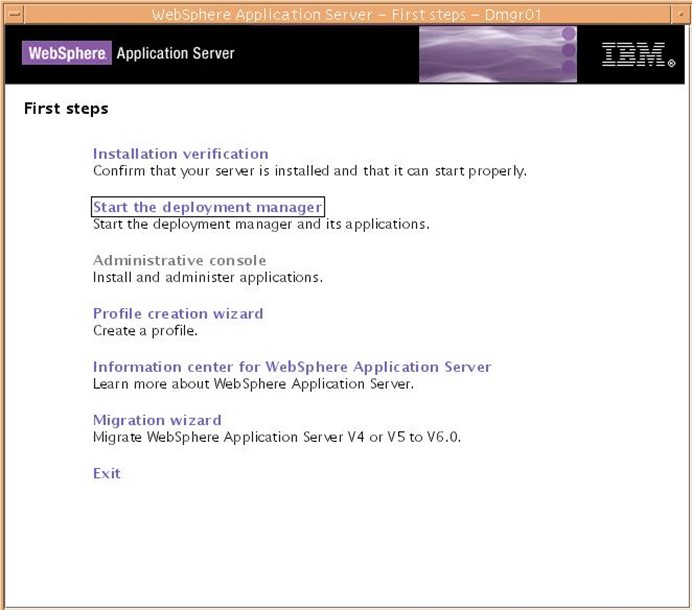
5.1.32
系統提示啟動成功:

5.1.33
進入/washome/WebSphere/AppServer/profiles/Server1/bin目錄,運行#./addNode.sh ibmoss61 8879 –includeapps –profileName Server1將應用服務器Server1添加到本主機節點。
系統提示:
|
ADMU0116I: Tool information is being logged in file /washome/WebSphere/AppServer/profiles/Server1/logs/addNode.log ADMU0128I: Starting tool with the Server1 profile ADMU0001I: Begin federation of node ibmoss61Node01 with Deployment Manager at ibmoss61:8879. ADMU0009I: Successfully connected to Deployment Manager Server: ibmoss61:8879 ADMU0505I: Servers found in configuration: ADMU0506I: Server name: server1 ADMU2010I: Stopping all server processes for node ibmoss61Node01 ADMU0512I: Server server1 cannot be reached. It appears to be stopped. ADMU0024I: Deleting the old backup directory. ADMU0015I: Backing up the original cell repository. ADMU0012I: Creating Node Agent configuration for node: ibmoss61Node01 ADMU0014I: Adding node ibmoss61Node01 configuration to cell: ibmoss61Cell01 ADMU0016I: Synchronizing configuration between node and cell. ADMU0018I: Launching Node Agent process for node: ibmoss61Node01 ADMU0020I: Reading configuration for Node Agent process: nodeagent ADMU0022I: Node Agent launched. Waiting for initialization status. ADMU0030I: Node Agent initialization completed successfully. Process id is: 418078 ADMU9990I: ADMU0300I: Congratulations! Your node ibmoss61Node01 has been successfully incorporated into the ibmoss61Cell01 cell. ADMU9990I: ADMU0306I: Be aware: ADMU0302I: Any cell-level documents from the standalone ibmoss61Node01Cell configuration have not been migrated to the new cell. ADMU0307I: You might want to: ADMU0303I: Update the configuration on the ibmoss61Cell01 Deployment Manager with values from the old cell-level documents. ADMU9990I: ADMU0003I: Node ibmoss61Node01 has been successfully federated. |
5.1.34
在客戶機上用瀏覽器訪問http://10.71.139.61:9060/ibm/console/

5.1.35 登錄WebSphere管理控制台
以root用戶(其它任意名稱也可)登錄:

5.1.36 應用服務器與集群配置
(1)打開菜單”服務器->應用服務器-Server1″

A.打開菜單”服務器基礎結構->Java和進程管理->進程定義->Java虛擬機”,修改如下參數:
初始堆大小:1024(以M為單位)
最大堆大小:1024(以M為單位)
通用JVM參數:增加”-Ddefault.client.encoding=GBK –Dfile.encoding=GBK –Duser.region=zh –Duser.language=CN”
B.打開菜單”其它屬性->線程池->WebContainer”,修改如下參數:
最小大小:150線程(默認10)
最大大小:150線程(默認50)
(2)打開菜單”集群->新建”菜單,選擇一個現有服務器添加到此集群中:ibmoss61Cell01/ibmoss61Node01/server1
以下文章點擊率最高
Loading…