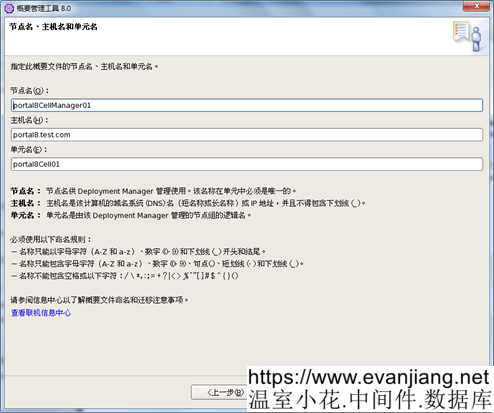
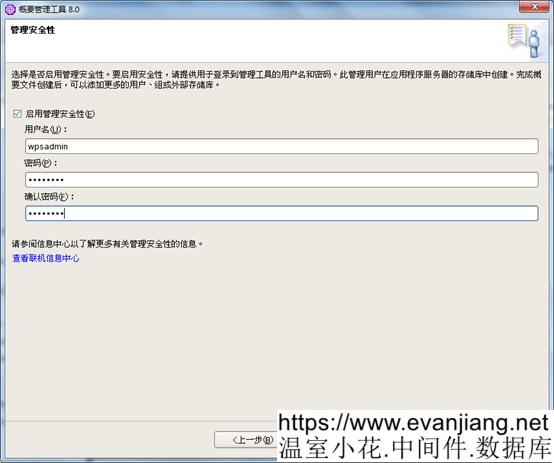
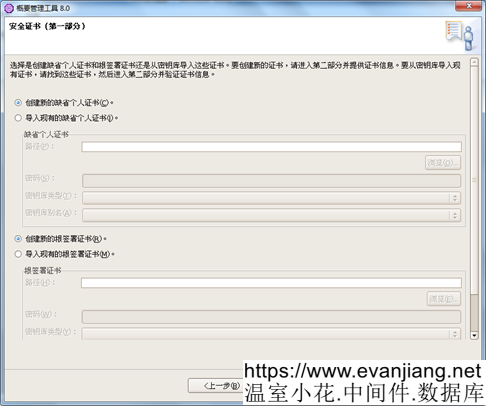
一直下一步
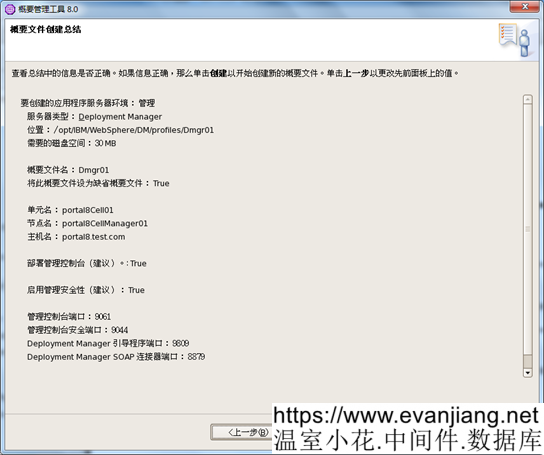
安裝完成後停止DM
./stopManager.sh -user <admin user> -password <admin password>
Portal1節點相關配置
收集portal1節點信息
找到/opt/IBM/WebSphere/PortalServer/filesForDmgr/filesForDmgr.zip將文件下載下來解壓
將filesForDmgr\profiles\Dmgr01\config\.repository\metadata_wkplc
複製到
/opt/IBM/WebSphere/DM/profiles/Dmgr01/config/.repository
將filesForDmgr/bin/ProfileManangement/plugins/com.ibm.wp.dmgr.pmt_7.0.5
複製到
/opt/IBM/WebSphere/DM /bin/ProfileManagement/plugins
將/lib/wkplc.comp.registry.jar and wp.wire.jar
複製到
/opt/IBM/WebSphere/DM/lib
將/plugins/com.ibm.patch.was.plugin.jar, com.ibm.wp.was.plugin.jar, and the wp.base.jar
複製到
/opt/IBM/WebSphere/DM/plugins
將/profileTemplates/management.portal.augment
複製到
/opt/IBM/WebSphere/DM/profileTemplates
執行下面命令
cd /opt/IBM/WebSphere/DM/bin/
./manageprofiles.sh -augment -templatePath /opt/IBM/WebSphere/DM/profileTemplates/management.portal.augment -profileName Dmgr01
啟動DM
./startManager.sh
訪問DM
以下文章點擊率最高
Loading…